How it works
The phone takes the measurements while you talk, and the scope of work writes itself behind you.
LiDAR scanning uses the iPhone Pro. On any other iPhone, your video and photos still carry the measurements.
Point the phone and walk the perimeter — LiDAR picks up walls, openings and fixtures as you pass them.
Walls, openings, fixtures. One pass.
Say what you are doing; it comes back as editable line items.
Walk and talk
“Demo the tile, new vanity on this wall, paint everything” — say it the way you would to your crew.
The line items write themselves
Each thing you named becomes a line, with the quantity pulled from the scan — 142 sf of floor, 96 sf of surround.
It stays your scope
Tap any line to re-word it, change a quantity, cut it, or add what you didn’t say out loud.
Done before the truck
Export the PDF, price it, or send it across to JobTread — the scope exists before you leave the driveway.
Add it, cut it, re-word it. It stays your scope.
Works with JobTread

SCOPE OF WORK over, JOBS + COST GROUPS back.
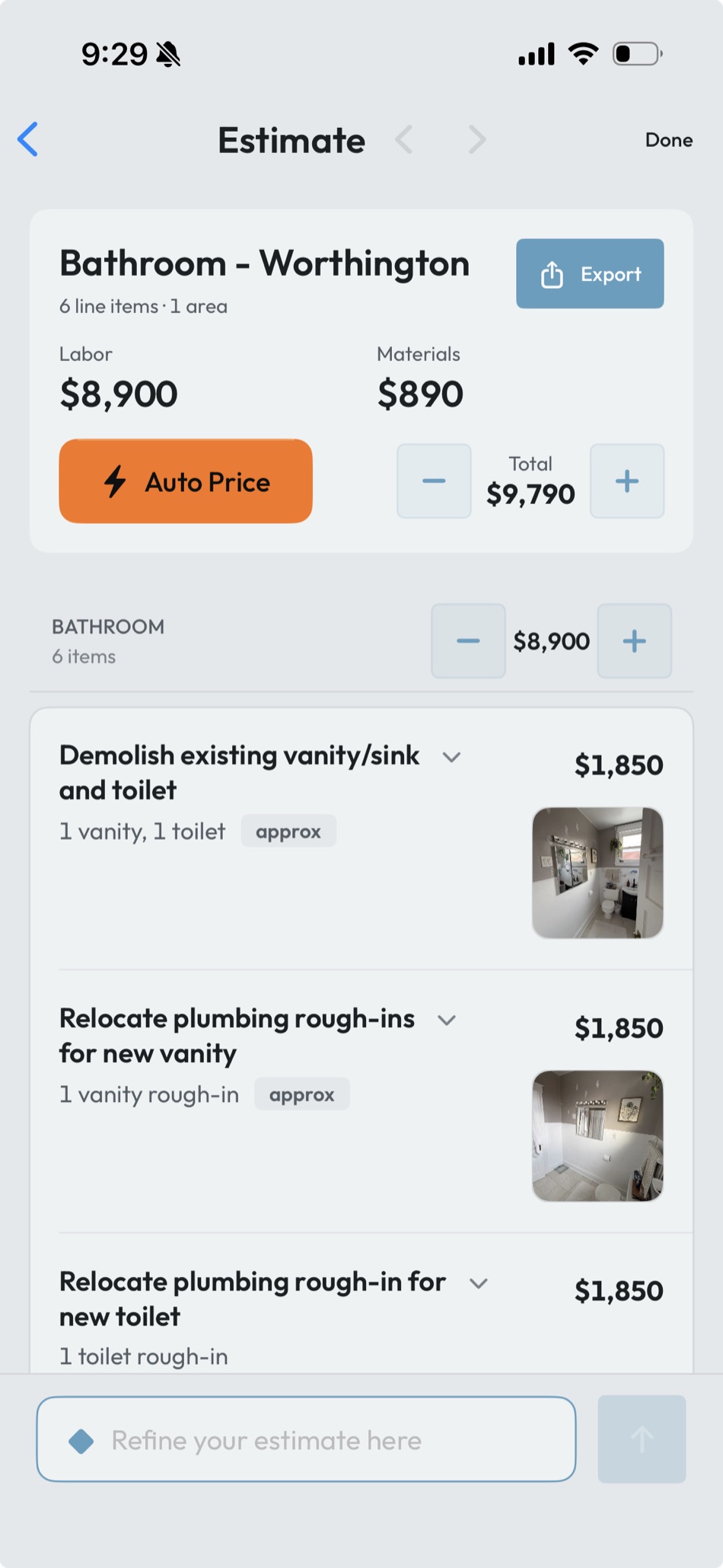
Answer a short survey once, and every estimate after it prices itself off your own rates.
Your rates, on file
Tile at $14/sf, carpenter at $78/hr, demo at $1.85/sf — a short survey once, and the app keeps your price book.
The scope prices itself
Tap Auto Price and every line item gets a number: your rate times the scanned quantity. Labor and materials, split and totaled.
Nudge it, it remembers
Bump any line or the total and the estimate rebalances. Correct a number often enough and the next job starts closer to it.
Change a rate and the next estimate follows it.
The same bathroom, priced. Every number is editable.
Take it to your next walkthrough — there is nothing to set up first.